Laptop & tech protection
Laptop sleeves explained: internal, external & false bottoms
Three design details decide whether a drop reaches your laptop.
The hook
Most laptop sleeves sit suspended above the bag's actual base. Except when they don't. The ones that don't crack screens when the bag gets set down hard, which is the most common way laptops are damaged in bags.
What is it
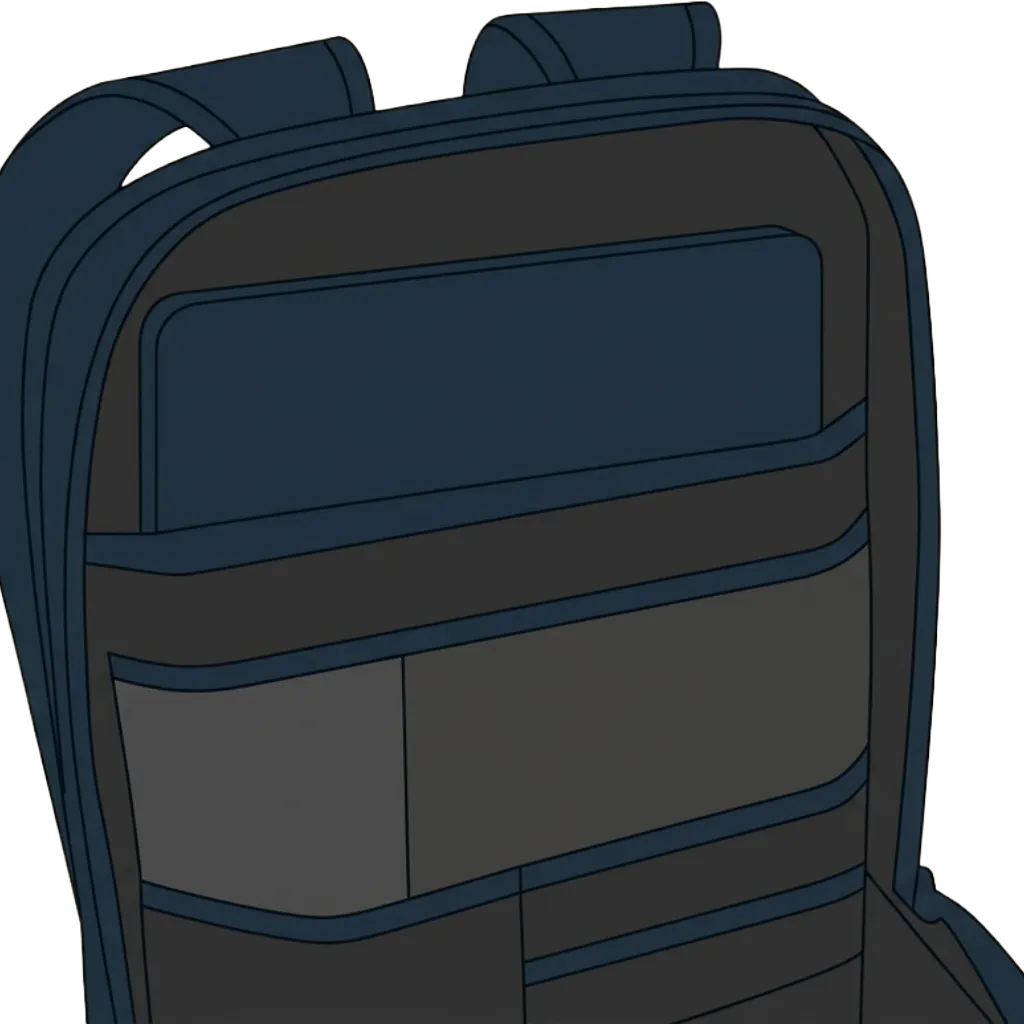
Three design elements impact laptop safety. Internal sleeves sit inside the main compartment, often sharing space with other gear. External laptop compartments are accessed separately (usually rear or side-zip), keeping the laptop isolated. False bottoms: the laptop sleeve either stops short of the bag's actual bottom, leaving an air gap, or sits on a thick pad of foam. Both do the same job: they absorb the impact when the bag is set down or dropped. Listings rarely say how big the gap or how thick the pad is, so press it yourself. Most casual buyers don't know to look for this. Most cheap bags don't have it.
Why it matters
False bottoms prevent cracked screens from the most common laptop injury: being set down hard. Internal sleeves protect better against weather and prevent compression from other gear. External sleeves are faster to reach in airports and coffee shops but trade some padding for convenience. Sleeve location also affects the bag's center of gravity and how it balances when loaded.
How to spot it
Open the laptop compartment and press the bottom. If it gives much or you feel the bag's actual base, there's no false bottom. Quality false bottoms have dense foam or air gap clearly visible at the sides. Pinch all four sides of the sleeve, not just the back panel: each should have foam you can feel between your fingers. For external sleeves, look for a coated zipper (a smooth, rubbery face that hides the teeth) or a fabric flap over a plain one, and run the zipper around the corners: it should glide without catching. Ask: if I dropped this bag on its bottom, would my laptop feel the impact directly?
When you don't need it
If you use a separate padded laptop case inside the bag, built-in sleeve quality matters less. For low-risk environments or if you only carry a tablet or Chromebook where weight savings matter more than protection, basic sleeves suffice.
Key takeaways
- False bottoms are essential for laptop safety. Press the floor of the sleeve: if you feel the bag's base right under it, there's no false bottom.
- Internal sleeves generally protect better; external sleeves trade safety for convenience.
- Pinch the sleeve's sides and bottom, not just the back: you should feel foam, not two layers of fabric. Corners and the bottom take the most impact.
- Before buying any laptop bag, press the sleeve floor, pinch the sleeve walls, and look for whether the laptop gets its own zipped compartment or shares space with the rest of your gear.
Quick poll
How much does laptop protection influence which bag you choose?